

Sevy is the AI assistant inside DNX Experience, available in Slack or Microsoft Teams to every DNX Experience user. Ask it why spend rose last month, which account a resource sits in, or where a ticket is up to. It answers from your cost data, account configuration and ticket history, naming its sources each time.
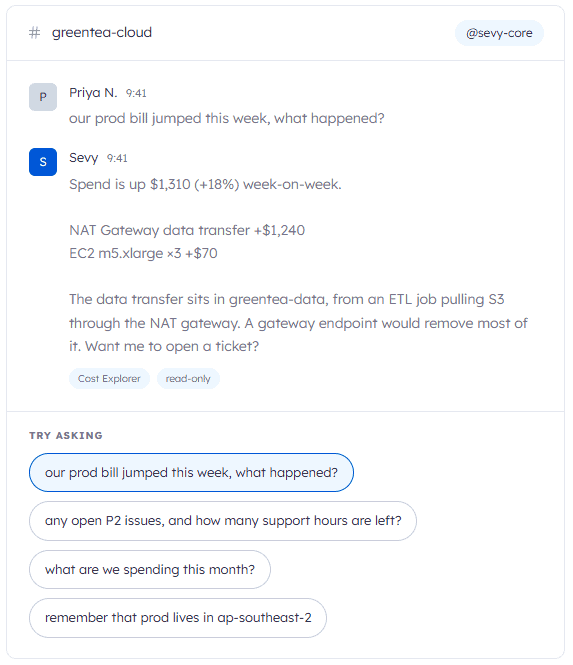
A rise can be questioned while it’s still small, before it settles into the baseline and gets carried into next year’s budget, where it is much harder to unwind.
Sevy can’t change anything in your environment, and every question it answers is logged in your own AWS CloudTrail. It runs on Amazon Bedrock and Amazon Bedrock AgentCore. Your security team can assess it with the controls they already use, instead of treating it as a new category of risk to be managed.
Each finding from Insights reaches you already reviewed by a DNX engineer, ranked by impact and costed in dollars. Whether to act becomes a commercial call you can make yourself, without having to interpret a technical recommendation first.
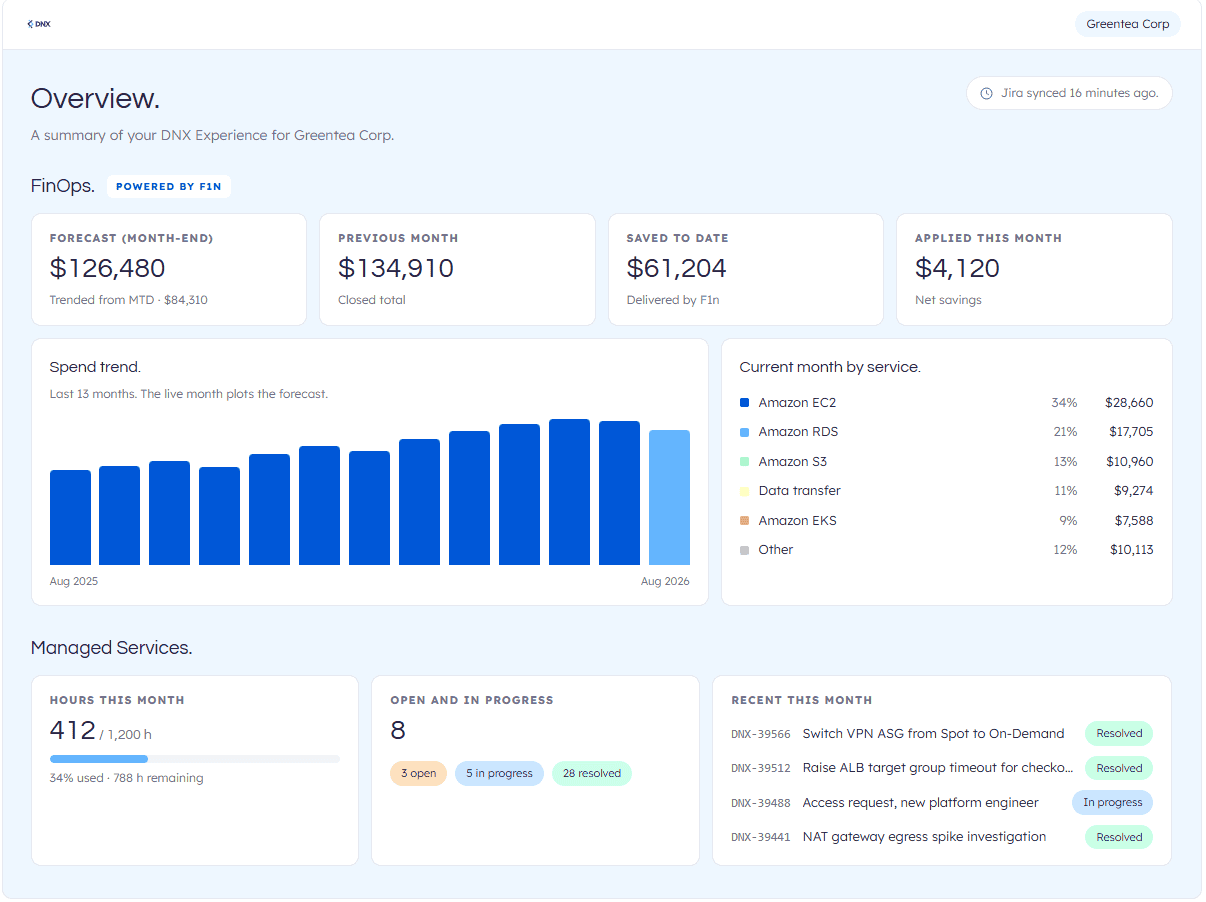
SLA performance, savings delivered and ticket history are kept on record. When a board or audit committee asks how cloud spend and an outsourced provider are governed, the evidence is already there.
Sevy answers questions about spend, accounts and tickets in in Slack or Teams. Senior questions no longer have to queue behind engineering work, and engineers spend less of their week building reports.
DNX sets up your portal as part of onboarding, and you can sign in and see your data on the same day.
Your portal is live during onboarding. Full Cloud Operations onboarding starts within two weeks of signing and takes six to seven weeks, in five stages: kickoff, security and workloads, monitoring, documentation, and operations. Each stage hands you something you keep, including a security gap analysis and remediation plan, and documentation of your platform architecture.
You deploy IAM roles that give DNX Experience access to your accounts. Billing data is read through a read-only role scoped to billing. Any wider operational access is agreed with you at kickoff, under your own access policy.
Most clients start in one of three ways. A free F1n cost assessment takes 15 minutes to set up, uses read-only access and returns a savings report within three days. A scoping call ends with a plan recommendation and proposal. A security and compliance uplift suits organisations working to an audit or certification deadline.
| Plan | Best for |
|---|---|
| CloudSave | Organisations spending $5K+ a month on AWS with a strong internal operations team. |
| CloudOperate | Organisations spending $10K+ a month on AWS. |
| CloudCommand | Organisations on an AWS EDP or PPA spending $50K+ a month. |
| Basic | Teams wanting expert support from a flexible pool of hours. |
| Operational Plus | Full 24/7 operations, priced by environment size. |
| Enterprise | Business-critical or regulated systems needing tailored service levels. |
Yes. DNX Experience through Cloud Operations is available through AWS Marketplace, so you can buy it under your existing AWS agreement and pay for it on your AWS bill. Find the listing here: [link]
Your AWS usage is billed through DNX on a single invoice in AUD, with cost dashboards and budget alerts in DNX Experience. Plan prices are in AUD.
| Channel | Priority | Description |
|---|---|---|
| DNX Experience | 2 – 4 | Raise and track tickets in the portal at experience.dnx.one. |
| Service Desk (Jira) | 2 – 4 | Raise a ticket at support.dnx.solutions. |
| 3 – 4 | Email support@dnx.solutions for low-priority requests. Each email is acknowledged and logged as a P3 ticket. | |
| Slack or Teams | 3 – 4 | Your shared Slack or Teams channel with DNX. Day-to-day questions and status updates, answered directly by our engineers and Sevy. |
| Phone | 1 – 2 | Call +61 2 5502 9727 (AU) or +1 743 800 3514 (US). The only channel for P1 incidents, and the escalation point for urgent and high-severity issues. |
| Plan | Support hours |
|---|---|
| Basic | Business hours, 8am to 5pm |
| Operational Plus | 24/7 for production incidents |
| Enterprise | Extended business hours, with service levels set to your needs |
On every plan, Sevy is available 24/7 in your Slack or Teams channel, and the 24/7 phone line handles urgent incidents.
| Severity | Response Time * | Resolution Time (target) * |
|---|---|---|
| P1 – Urgent | 30 Minutes | 4 Hours |
| P2 – High | 2 Hours | 8 Hours |
| P3 – Medium | 8 Hours | – |
| P4 – Low | 16 Hours | – |
*Response and resolution targets apply within your plan’s support hours. Enterprise plans can agree custom service levels.
Your Cloud Service Delivery Manager is your single point of contact. They manage escalations and hold us to the agreed service levels, so if a ticket isn’t moving, go to them directly. For urgent or high-severity incidents at any hour, call +61 2 5502 9727 (AU) or +1 743 800 3514 (US). On Enterprise, your Technical Account Manager owns the relationship and is your escalation point.
Raise a ticket at support.dnx.solutions or ask in your shared Slack or Teams channel. Your Cloud Service Delivery Manager, or your Technical Account Manager on Enterprise, will follow it through.
Sevy can answer questions about your accounts, spend and tickets in Slack or Teams, but it works with read-only access and doesn’t replace your support team. When something needs a change to your environment, Sevy can raise the ticket for you.